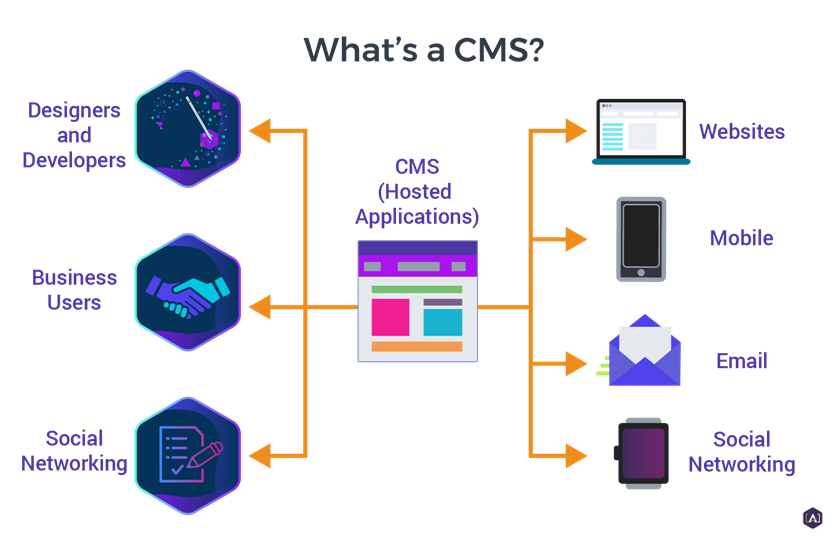
A Content Management System (CMS) is software that allows users to create, edit, organize, and publish digital content (most commonly websites) without needing to write code from scratch. It helps developers out a lot because, instead of manually building web pages using HTML, CSS, and databases, developers can interact with a visual dashboard where they can add text, upload images, manage pages, and control site structure. It’s also super helpful for a non-technical user as well because of this reason.
At a technical level, a CMS separates content and the visuals. Content is stored in a database, while themes or templates control how that content is displayed to visitors. Most CMS platforms also include user-role management, version control, and built-in security features. Popular example include this very site (WordPress), which makes up a large portion of the web.

CMS platforms are widely used in modern businesses because they support scalability and extensibility. Plugins, modules, or extensions are nice features to have and a CMS can add features such as SEO optimization, e-commerce, analytics, and user authentication without rewriting the entire site. When hosted on cloud infrastructure, a CMS can scale to handle high traffic while remaining easy to maintain, making it a practical solution for blogs, corporate websites, online stores, and content-heavy applications.
References
- Essex, Mick, and Gaukhar Murzagaliyeva. Content Management Systems: Streamlining Content Creation & Management. POWr Blog, 8 June 2024, https://blog.powr.io/content-management-systems-streamlining-content-creation-management/ 21 Jan. 2026.
- IBM Corporation. What Is a Content Management System (CMS)? IBM Think, https://www.ibm.com/think/topics/content-management-system 21 Jan. 2026.
- Kinsta. What Is a Content Management System (CMS)? Kinsta, 1 Oct. 2025, https://kinsta.com/blog/content-management-system/ 21 Jan. 2026
I really like how clearly you explained what a CMS is and why it’s useful for both technical and non‑technical users. Separating content from design and using themes/templates is a helpful way to think about it, and your examples of plugins for SEO, e‑commerce, and analytics show how powerful and flexible CMS platforms can be in real businesses. The WordPress example makes it very relatable, especially since we’re using it ourselves in this class.
Really clear explanation Sugnh, especially how you connect the “no-code dashboard” benefit to what’s happening under the hood (database and themes/templates). I also like that you brought in scalability and plugins, because that’s exactly why WordPress is so widely adopted. The only tiny tweak I’d add is that “built-in security” often depends heavily on updates and plugin choices, but overall, this is solid and well-rounded.